Windhawk
Explore Windows customization mods, step-by-step setup notes, compatibility checks, and safer rollback advice for taskbar, Start menu, and File Explorer tweaks.
Windows 10 & Windows 11 • Stable release 1.7.3 • 2.0 alpha 8 available as preview
Highlights
Focused Windows tweaks
Change individual taskbar, Start menu, Explorer and application behaviors without assuming every mod fits every build.
Mod source visibility
Review source code and affected processes before activating community modifications.
Reversible workflow
Back up settings, change one feature at a time, and disable a mod if Windows behavior changes unexpectedly.
Featured mods
Windows 11 Taskbar Styler
Customize the taskbar with themes contributed by others or create your own
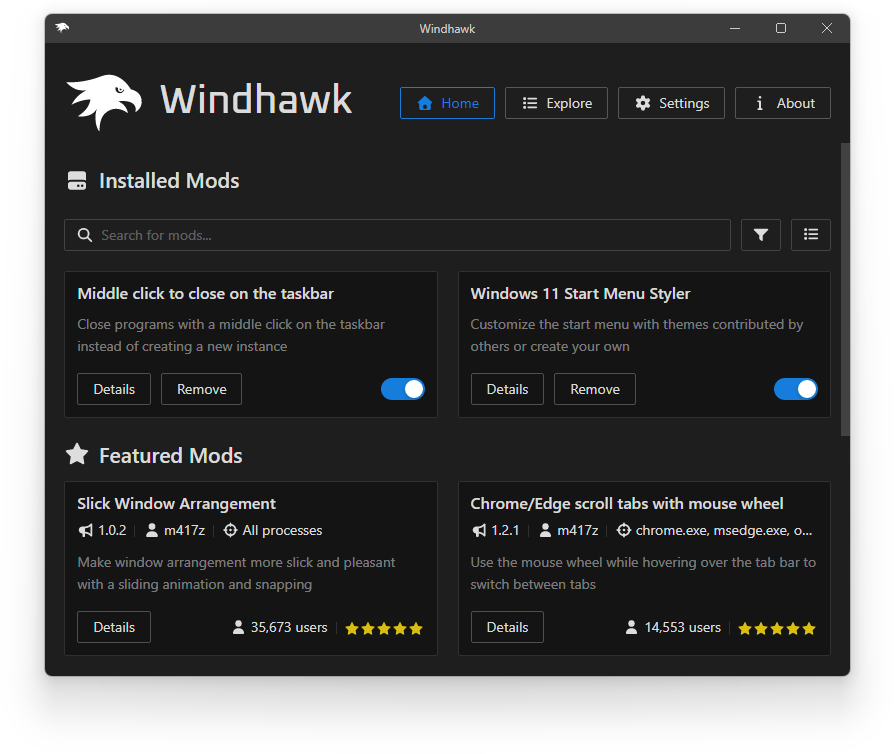
Windows 11 Start Menu Styler
Customize the Start menu with themes contributed by others or create your own
Windows 11 Notification Center Styler
Customize the Notification Center and Action Center with themes contributed by others or create your own
Taskbar Dock Animation
Animates taskbar icons on mouse hover like in macOS
Windows 11 File Explorer Styler
Customize the File Explorer with themes contributed by others or create your own
Taskbar height and icon size
Control the taskbar height and icon size, improve icon quality (Windows 11 only)
Browse all 36 archived mod topics →
Start here
Uses the site’s FileDrop handler. Confirm the destination before running software.